Build clear workout steps
Add warm-ups, running steps, recoveries, repeat blocks, tempo sections, and cool-downs in a runner-focused builder.

Garmin workout builder
RunSync gives runners a focused Garmin workout builder for creating warm-ups, intervals, recoveries, tempo work, pace targets, and cool-downs without repeatedly rebuilding the same sessions inside Garmin Connect.
Create the workout in RunSync, review the structure, save or schedule it when your plan supports it, then sync eligible workouts to Garmin Connect for compatible Garmin watches.
Garmin Connect can create workouts, but runners who build intervals, threshold sessions, progression runs, and reusable templates often need a faster planning workflow.
RunSync focuses on structured running workouts. The page you build is the session you plan to run: warm up, repeat the work, recover properly, cool down, and send supported workouts to Garmin when you are ready.
Add warm-ups, running steps, recoveries, repeat blocks, tempo sections, and cool-downs in a runner-focused builder.
Set up sessions like 6 x 3 minutes hard with 2 minutes easy recovery without rebuilding every step manually.
Apply compatible pace targets when your workout needs easy, steady, threshold, interval, or recovery guidance.
Connect Garmin and sync supported structured workouts to Garmin Connect for compatible Garmin watches.
RunSync keeps the workout structure visible while you create, review, schedule, and send supported sessions to Garmin.
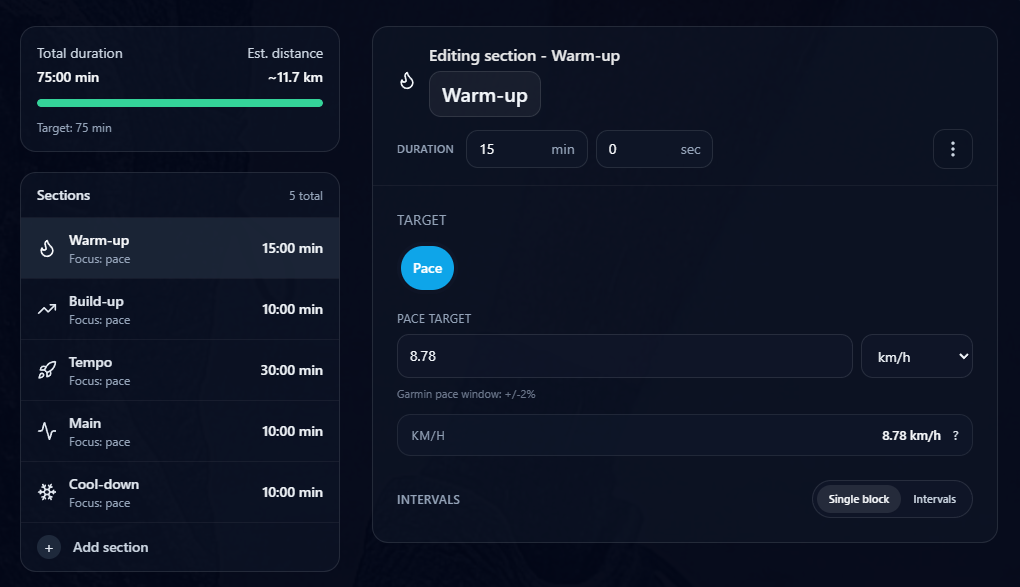
Review the warm-up, build-up, tempo, main set, and cool-down before the session reaches Garmin.
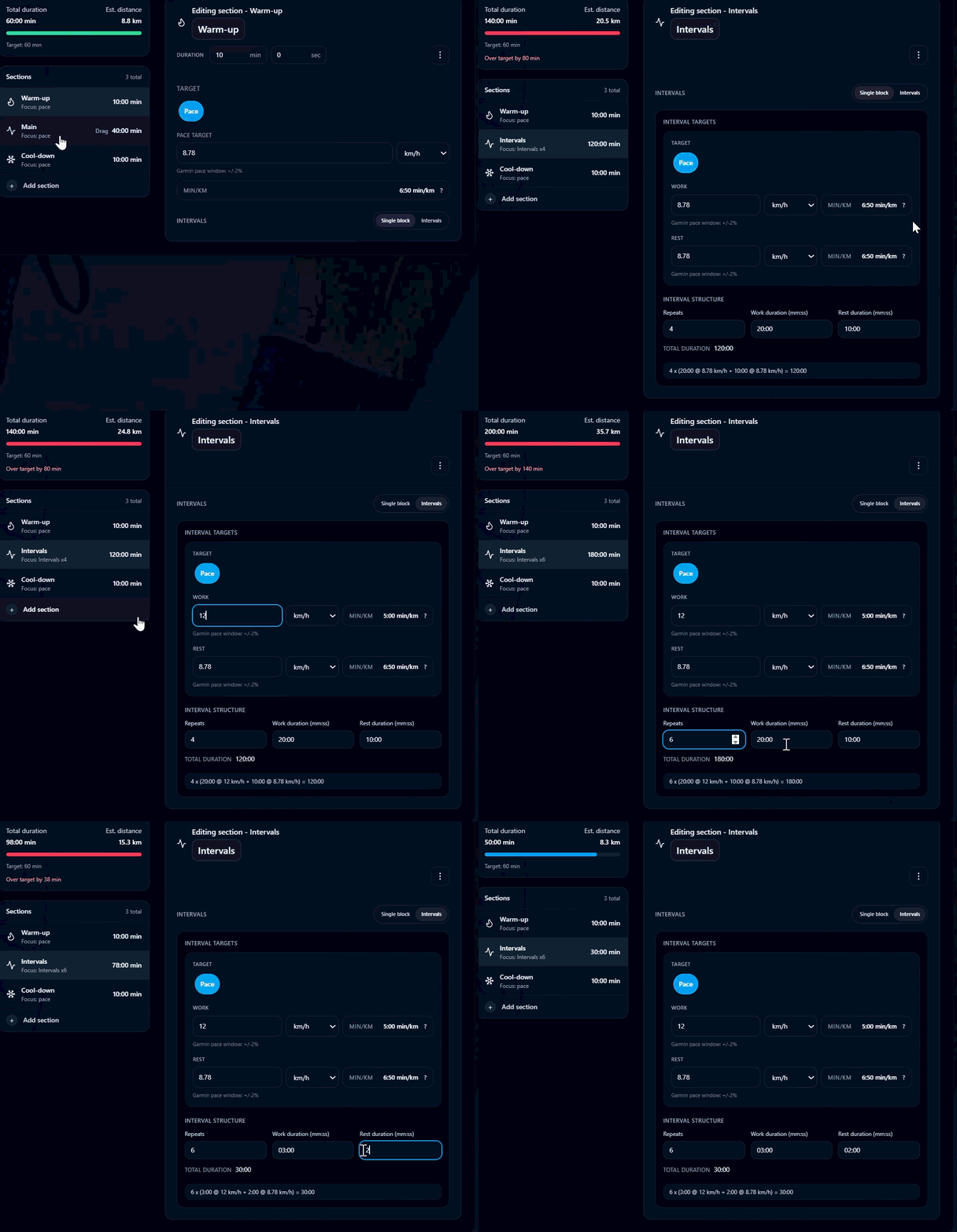
Use interval controls when a workout needs repeated efforts instead of a single steady block.
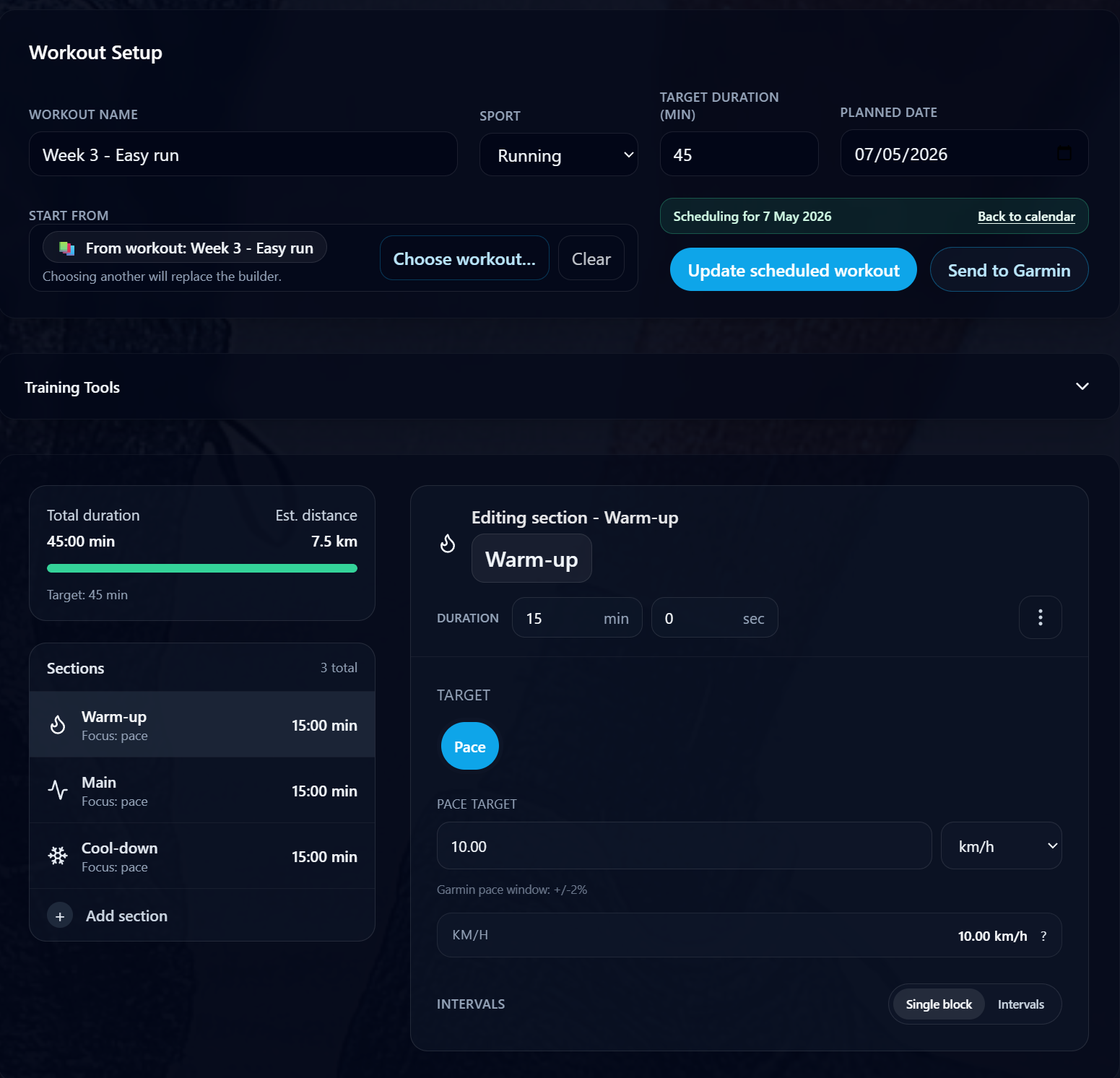
Confirm the planned date, duration, workout source, and available actions before sending the workout to Garmin.
See the path from a reviewed Run Builder workout to the Garmin send action.
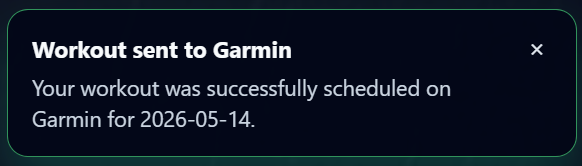
After a successful sync, RunSync confirms that the workout has been scheduled on Garmin.
Start with intervals, tempo work, a recovery run, or a progression session.
Build the workout from warm-up, work, recovery, repeat, target, and cool-down steps.
Check the full structure before saving, scheduling, or syncing.
Send eligible workouts to Garmin Connect when your Garmin account is connected.
Garmin Connect remains the place for your Garmin account, devices, activities, and wider fitness data. RunSync does not replace it.
RunSync is useful when you want a focused running workout builder, especially for interval sessions, repeatable templates, pace-guided workouts, and calendar planning before Garmin sync.
Managing your Garmin account, watch, activities, device settings, and fitness data.
Creating structured running workouts quickly, reviewing them clearly, and syncing supported sessions to Garmin Connect.
Yes. RunSync helps you create supported structured running workouts and sync eligible sessions to Garmin Connect when Garmin is connected.
No. RunSync is an independent app. It connects with Garmin through Garmin's developer integration flow so users can grant permission to sync supported workouts.
Yes. RunSync is designed for structured interval sessions with warm-ups, repeat blocks, work steps, recoveries, and cool-downs.
RunSync can apply compatible pace guidance to workouts where the workout structure and Garmin sync support it.
Create a structured session, review the workout, and sync supported workouts to Garmin Connect when your Garmin account is connected.