Build Garmin Strength Workouts with AI in RunSync
Describe the strength workout you want in plain English. RunSync AI turns it into an editable, Garmin-ready workout with exercises, sets, reps, rest and optional weights.
Want to build a strength workout for Garmin without adding every exercise, set and rest period by hand? Tell RunSync what you want to train, and the new AI strength workout builder creates a structured first draft inside Strength Builder.
Describe the session in everyday language. Review the result, edit anything you need, then send your finished workout to Garmin.
From a workout idea to a structured session
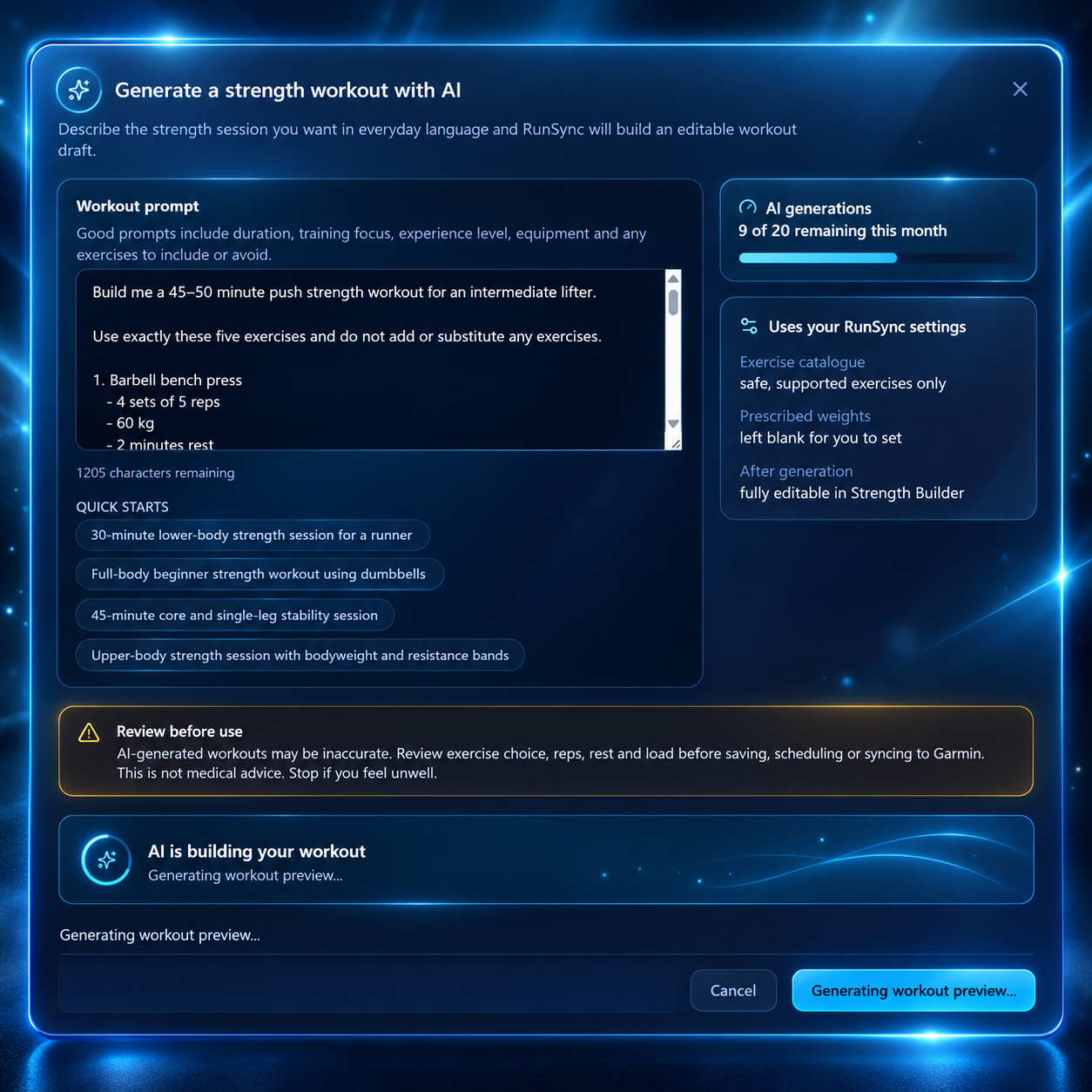
Start with a simple prompt:
Build me a 45-minute push workout for an intermediate lifter.
Or be as specific as you like:
Start with barbell bench press for 4 sets of 5 reps with 2 minutes’ rest. Then add incline dumbbell press, dumbbell shoulder press, cable lateral raises and triceps pushdowns. Keep the workout focused on strength and hypertrophy.
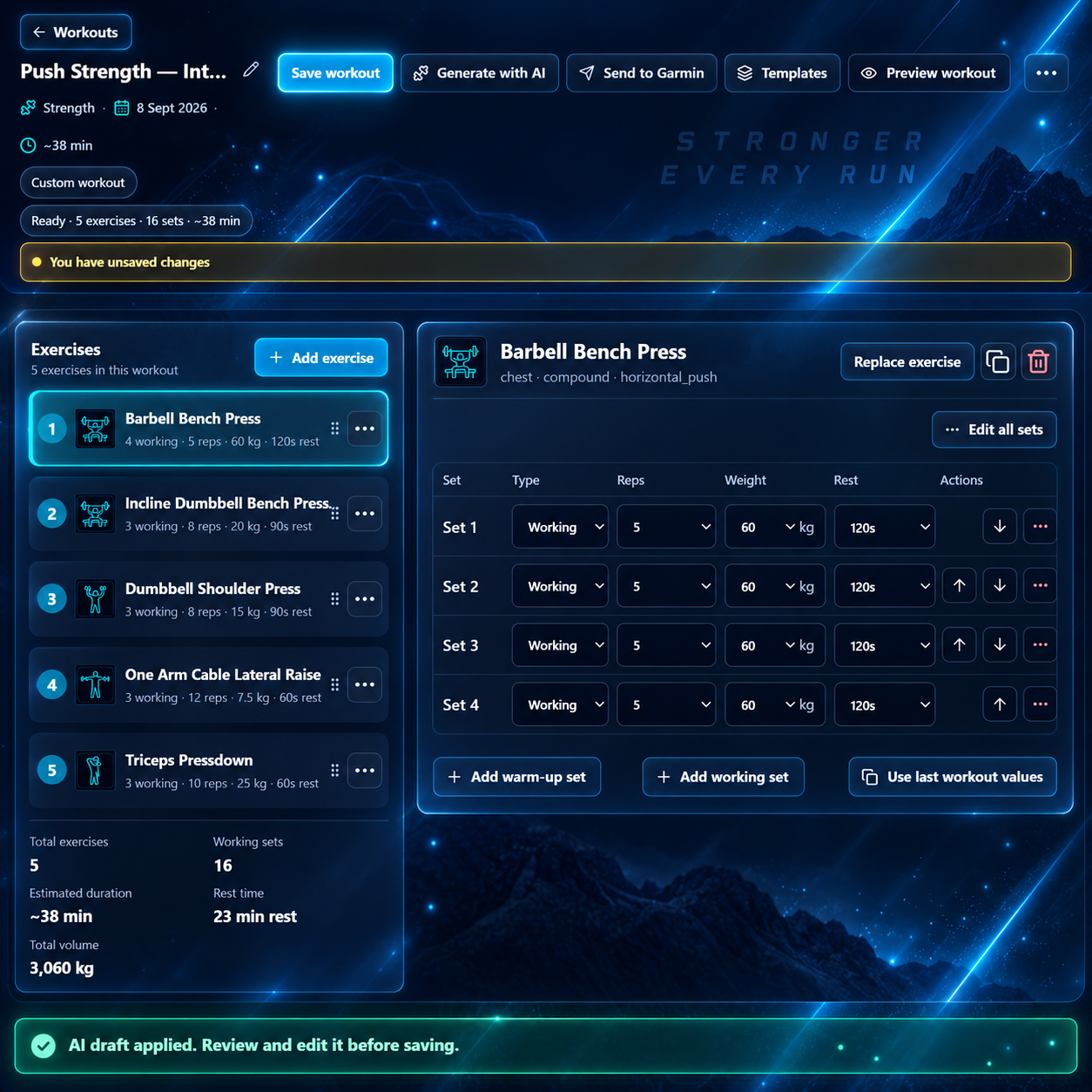
RunSync AI turns that request into a structured workout with exercises, sets, reps and rest periods. Because it is created directly in Strength Builder, it remains fully editable.
Tell RunSync what matters to your session
Your prompt can include the details you already know, including:
- Exercises and equipment
- Sets, reps and rest periods
- Workout duration and training goal
- Experience level and exercise restrictions
- Prescribed weights
For example, you can ask for a workout using exact loads:
Build me a push workout with barbell bench press — 4 × 5 at 60 kg; incline dumbbell press — 3 × 8 at 20 kg; dumbbell shoulder press — 3 × 8 at 15 kg; cable lateral raise — 3 × 12 at 7.5 kg; and triceps pushdown — 3 × 10 at 25 kg.
RunSync carries those prescribed weights into the workout. If you do not provide a load, it leaves the weight unset for you to choose your appropriate working weight.
Equipment choices are not interchangeable
When you ask for a cable lateral raise, the aim is to give you a cable lateral raise — not silently substitute a dumbbell variation. Barbell, dumbbell, cable and other equipment choices are meaningful parts of the request.
Behind the scenes, RunSync resolves generated sessions against its supported strength exercise catalogue. This helps keep the workout compatible with Strength Builder and the Garmin workflow, instead of producing arbitrary exercise names that may not transfer cleanly.
Build strength sessions around your running
The AI strength workout builder is not just for traditional gym splits. You can ask for a session that fits the role strength training plays in your running week.
For example:
Create a 50-minute full-body strength workout for an intermediate runner. Include one main lower-body compound lift, an upper-body push and pull, a single-leg exercise, posterior-chain work, calves and core. Keep it useful for running performance without creating excessive fatigue.
That gives RunSync useful context to build around your goal, rather than returning a generic exercise list. You can then adjust the session for your training history, equipment and race schedule.
AI creates the draft. You make it yours.
Generated workouts are a starting point, not a locked plan. Before you train, open the result in Strength Builder and make it your own:
- Replace, add or remove exercises
- Change the order of exercises
- Adjust sets, reps, weights and rest periods
- Add warm-up sets
Always review an AI-generated workout before using it. Check the exercise selection, volume, rest and loads against your own experience, current training and any advice from a qualified professional. The AI removes repetitive setup work; it does not replace your judgement.
A faster route to a Garmin-ready strength workout
The workflow is deliberately simple:
Natural-language request → structured workout → editable Strength Builder session → Garmin
Instead of beginning with “How do I build this workout?”, begin with “What workout do I want to do?” Describe it, let RunSync create the first draft, refine it, and train.
Try the AI strength workout builder
Build a structured strength session from a simple description, tailor it in Strength Builder and get it ready for Garmin.
Open Strength Builder →RunSync
Build your next Garmin-ready workout
Turn the session in your head into a structured workout you can review, save, schedule, or send to Garmin.
Open Run Builder