Why I created RunSync
Why RunSync exists: to help runners build structured workouts, schedule them, and send them to Garmin without rebuilding the same sessions by hand.
RunSync started with a simple frustration: I wanted to run my own structured workouts on my Garmin watch without rebuilding them by hand every time.
Not generic plans. Not pre-built sessions that were nearly right. My own sessions.
The kind of workouts I actually use when training: warm-ups, effort blocks, recoveries, steady sections, cool-downs, and repeat patterns that make sense for the session I am trying to run.
I wanted one clean loop:
Garmin watches are excellent running tools. The problem was not the watch. The problem was the friction around getting a workout from my head, or from my training notes, onto the device in a clean and repeatable way.
I did not want to keep building every workout manually inside Garmin Connect. I did not want to rely only on Garmin’s suggested workouts. I did not want a spreadsheet, a notes app, or a piece of paper telling me what came next mid-run.
I wanted to create the workout once, send it to my watch, press start, and run.
That is why I built RunSync.
The gap between planning and running
Most runners who like structured training already know roughly what they want to do.
Maybe it is a simple easy run with a few strides. Maybe it is 6 x 3 minutes with jog recoveries. Maybe it is a threshold progression, a tempo session, or a longer run with steady blocks near the end.
The awkward part is turning that idea into something the watch can guide.
Without a clean workflow, the options are not great:
- Build the session manually in Garmin Connect every time.
- Write the workout somewhere else and keep checking it during the run.
- Try to remember every rep, recovery, and target while running hard.
- Give up on the structure and run the session roughly by feel.
Running by feel has its place. I still care about effort, not just numbers. But when a session has a clear structure, I want the watch to handle the prompts so I can focus on the running.
No mental maths halfway through an interval set. No wondering whether this is rep five or rep six. No checking a phone at the side of the road.
What I wanted RunSync to do
RunSync is designed for runners who like structure but still want control.
You can build a workout around how you train, not around someone else’s template. That might be a simple easy run. It might be intervals. It might be a tempo session. It might be a progression run. The point is that the structure belongs to you.
Example workout structure
- Warm up: 10 minutes easy
- Repeat 6 times: 3 minutes strong, then 2 minutes easy
- Cool down: 10 minutes easy
That is a normal session, but it is still annoying to manage from memory.
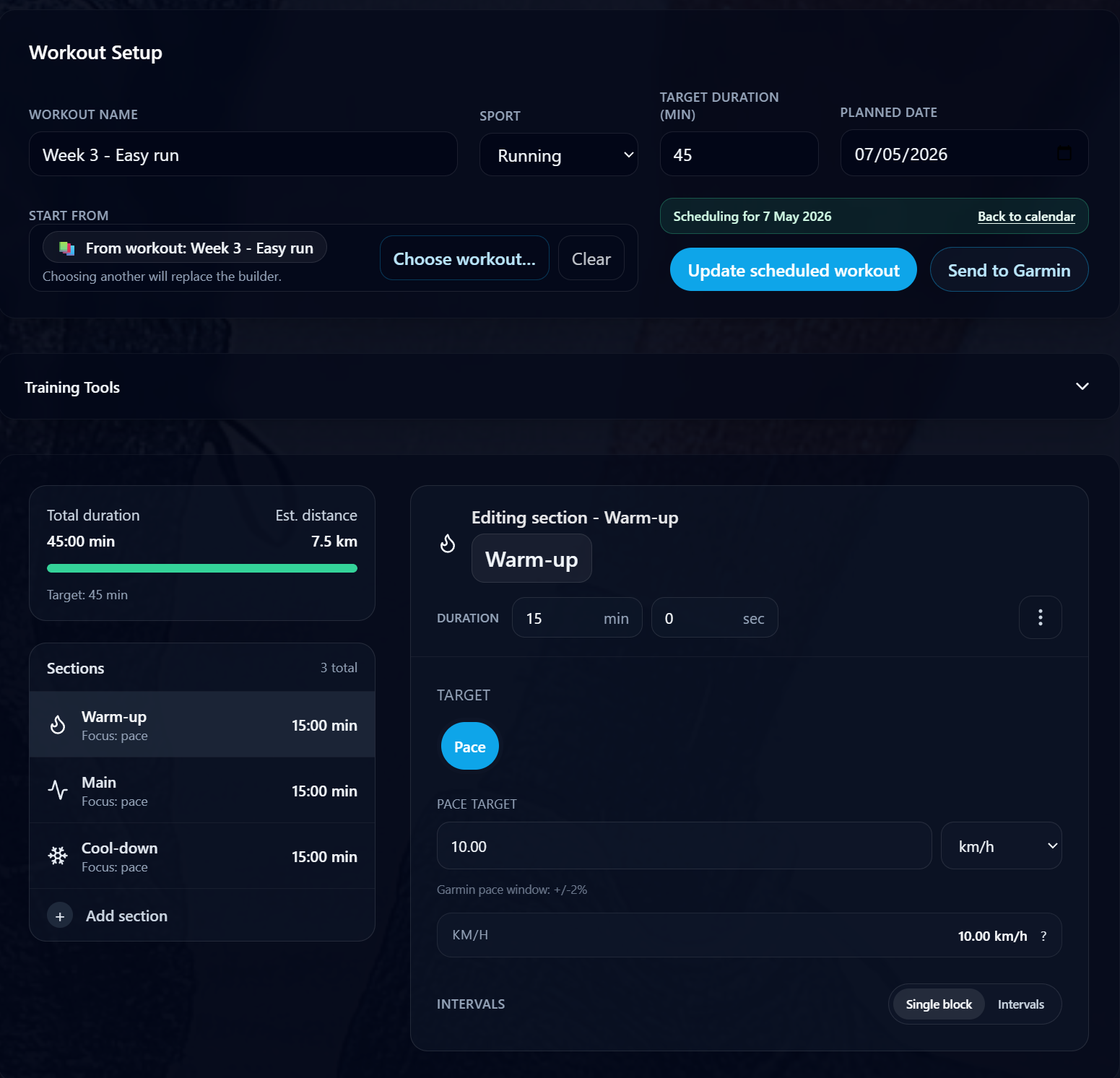
In RunSync, the aim is to make that structure obvious before the run and easy to follow during it. You build the session, connect Garmin, and send or schedule the workout so it is ready when you need it.
If you want the practical walkthrough, the step-by-step guide explains how to sync a workout to Garmin from RunSync.
Why I did not want to replace Garmin
The goal is not to replace Garmin.
It is to make Garmin more useful for runners who already know what they want to do.
Garmin is where the workout belongs on run day. It has the watch, the prompts, the activity recording, and the data afterwards. RunSync sits before that moment: the planning, building, scheduling, and syncing part.
That distinction matters. A good watch should help you stay present during a run. The planning tool should make the right workout easy to prepare before you leave the house.
For me, that means:
- Build the workout when I am calm and thinking clearly.
- Use current training paces or effort targets where they help.
- Schedule the session for the right day.
- Let the watch guide the workout when it is time to run.
That is the loop I wanted.
How RunSync has grown from that first idea
The first version was about getting a structured workout onto Garmin with less friction.
The broader product is now about making structured training easier to follow week after week.
That includes building workouts, saving useful paces, planning sessions on a calendar, and sending scheduled workouts to Garmin when they are needed. I wrote more about that weekly routine in how I use RunSync to plan my running week.
The same idea still sits underneath everything: make the decision once, then reduce the logistics.
If you are building a training block, RunSync should help you turn it into actual scheduled workouts. If you have updated your paces after a recent race or time trial, RunSync should help you use those targets in the next sessions. If Tuesday is interval day, the correct workout should be ready on Tuesday.
That is more useful than another place to store good intentions.
The whole idea
RunSync exists to remove the friction between the workout you planned and the run you actually do.
Build the workout. Schedule it. Sync it. Run it.
That is the whole idea.
Ready to build your next structured workout?
Create a workout in RunSync, send it to Garmin, and let your watch guide the session step by step.
Open Run Builder